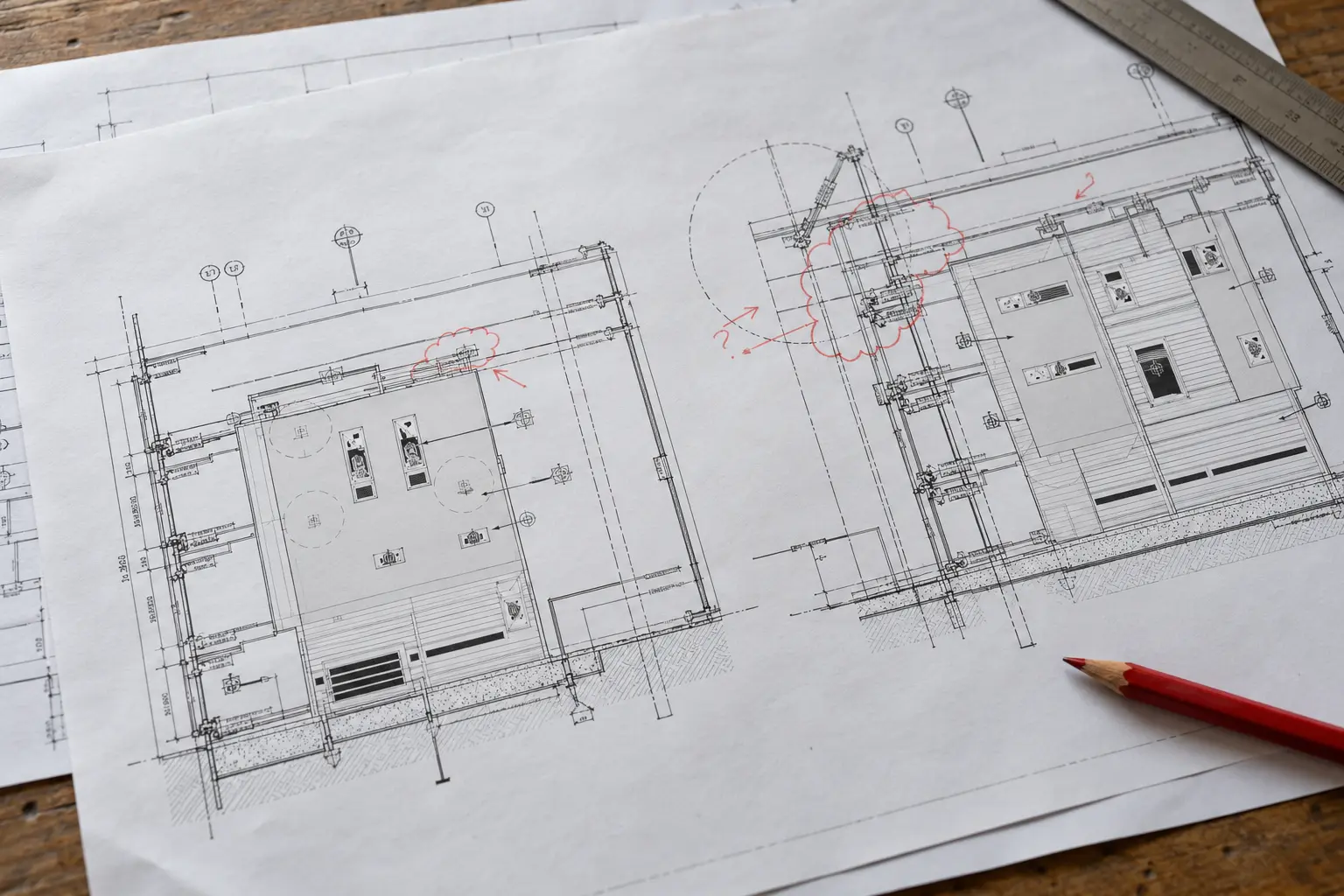
"Move outlet clear of cabinet" identifies a conflict. It leaves the drafter waiting for a location and a coordinated instruction. If someone chooses a position just to finish the markup, the revised sheet hides a decision that nobody authorised.
Before sending redline drawings to an external team, establish which changes can proceed and who will answer the open questions. When the files come back, you should be able to follow each comment from the reviewed sheet to its response. A small cabinet example shows how to keep that trail intact.
What are redline drawings?
Redline drawings carry corrections, proposed changes, questions or recorded site information. Reviewers may write on a print, mark a PDF or enter comments in a review platform. Start by checking why the drawing was issued and who supplied the comments.
An architect's design-review markup and a contractor's record of an installed change serve different purposes. Identify that purpose before incorporating either into the working file. A redline drawing also needs a recognisable baseline: the sheet number, revision and issue date that the reviewer actually saw.
A revision cloud helps a reviewer find the affected area. The instruction and its authority still need to be recorded. Autodesk's AutoCAD 2026 documentation describes revision clouds as a way to draw attention to parts of a drawing; keep the comment and its status in the review record as well.
Start with the drawing the reviewer marked
Before editing, save the reviewed package and record its source. Check the working CAD file against that package. If the markups refer to A-201 Revision B while the working file already includes later changes, reconcile the difference before transferring comments.
For a manageable review batch, record:
- Sheet number, revision and issue purpose.
- Markup filename, date and reviewer.
- The working CAD or model version.
- Related specifications, schedules or details referenced by a comment.
- The person who can resolve conflicting instructions.
Use your project's naming and document-control rules. Reviewers working from different downloads need a revision identifier they can compare. A folder called "latest" does not give them one.
Keep the received markup intact. When combining comments from several reviewers, retain the source for each instruction so a conflicting note can be taken back to the person who issued it.
Separate an edit from an unresolved decision
Give each comment an identifier. A short register is enough for a small package; the same fields can be used in an existing review system.
Use the blank comment register to record the instruction, its source, the response and any release limitation.
In this worked example, sheet A-201 Revision B contains a cabinet elevation and a finish-schedule reference. Its values and document IDs are invented to explain the review process, not to instruct construction.
| Comment | Instruction received | Initial response | Owner of the next action |
|---|---|---|---|
| C-01 | Change the cabinet finish tag to F-02, as confirmed in the issued finish schedule | Check the cited schedule, then update the tag and affected reference | Drafter, followed by checker |
| C-02 | Change the cabinet height from 34 inches to 36 inches, under instruction D-07 | Check D-07's authority and scope; identify the affected elevation and section before editing | Package lead and drafter |
| C-03 | "Move outlet clear of cabinet" with no location or electrical response | Record the conflict and request a coordinated instruction | Design/electrical decision owner |
C-01 can proceed once the cited information is confirmed. C-02 requires a broader dependency check even when its instruction is authorised. For C-03, choosing an outlet position would add a decision that the markup does not contain.
Write the outstanding action in the response. "Awaiting outlet location and electrical coordination" tells the next reviewer what needs an answer.
If a comment changes the contracted work, follow the project's change procedure. AIA Contract Documents explains that changes may use formal instruments such as change orders or construction change directives. A drawing markup should be linked to the applicable instruction rather than treated as sufficient authority by itself. See its construction-administration guidance.
Trace each authorised change into the affected views
For C-02, updating the elevation dimension is only part of the response. Check whether the cabinet section, adjacent notes and equipment relationships also depend on the height. The package may need an updated detail reference or a coordinated response from another discipline.
Name the affected files and views in the register. If the response says "done throughout," the checker still needs to know which views that covers.
| Comment | Demonstration action | Evidence recorded | State after checking |
|---|---|---|---|
| C-01 | Finish tag changed to match the referenced schedule | Revised elevation and finish-schedule reference | Checked; awaiting package release |
| C-02 | Height updated in the elevation and section under D-07 | Before/after comparison and checker record | Checked; awaiting package release |
| C-03 | No outlet position chosen; query sent to the named decision owner | Query Q-03 and the affected sheet reference | Open; affected coordination remains unresolved |
The checker has completed C-01 and C-02. The package lead still needs to decide whether the drawings can be issued while C-03 is open and what restrictions apply.
Check the revised output as well as the working file
Compare the revised drawing with the baseline and the authorised instruction. Then inspect the exported PDF that recipients will use. A correct model or DWG can still produce an incomplete sheet if a viewport, annotation layer or reference is wrong.
The checker should be able to answer:
Comparison tools help locate differences. Bluebeam Revu's Compare Documents highlights PDF differences with markups, while Overlay Pages displays layered content in different colours. Alignment affects the usefulness of that comparison; the software offers several alignment methods. See Bluebeam's comparison guidance for Revu 20 and 21.
Read each highlighted difference against the instruction. It may be the requested edit, a plotting change or an accidental movement.
Keep drawing revision control visible at issue
Include the revised deliverables with their revision identifiers and agreed issue purpose. Return the response register alongside them, including the open questions. Mark superseded files in the document system and preserve them according to the project's retention procedure.
In the cabinet example, C-03 stays open until the coordinated response has been received and addressed. Completing the cabinet edits does not close the outlet question.
Clouds, revision descriptions and issue codes should follow the project's standard. A checking method should work with that standard rather than introducing a second competing convention.
What to send an outsourced drafting team
Send the baseline drawing package, authoritative markup files and the relevant working files. Include linked references needed to understand the requested changes, along with your CAD standard and issue requirements.
Name the contact who can answer technical questions. Agree whether the task includes checking dependent sheets, maintaining the response register, preparing exports or only incorporating a defined set of edits. Those activities affect the scope of the handoff.
For a new partner, use a small representative review batch. Include one cross-reference change and one instruction that needs clarification. Evaluate how the team records the question and checks the response before increasing the package size.
Questions about redline drawing revisions
Are redline drawings the same as as-built drawings?
Redlines may contribute to an as-built or record-drawing process, but a set of markups does not establish what was installed or verified. Define the required final deliverable, source evidence and review responsibility in the project scope.
Does every redline comment become a CAD change?
Some comments identify questions, conflicts or instructions that have been superseded. Give each a documented disposition. Only incorporate changes with a clear instruction and the required authority.
Can a PDF comparison replace a drawing checker?
A comparison can locate differences. The checker still needs to decide whether those differences satisfy the instruction and whether related information remains consistent.
What should remain in the revision record?
Retain the reviewed baseline, received instructions, response history and issued result under the project's document procedure. Include the relevant decision references and any unresolved items that affected release.
For help incorporating a defined markup package, review Arcengine's redline markup service. Send the baseline, the marked sheets and the required output format so the revision scope can be discussed against the actual files.
A working record for this guide