
Construction Drawings
Red-Line Markup
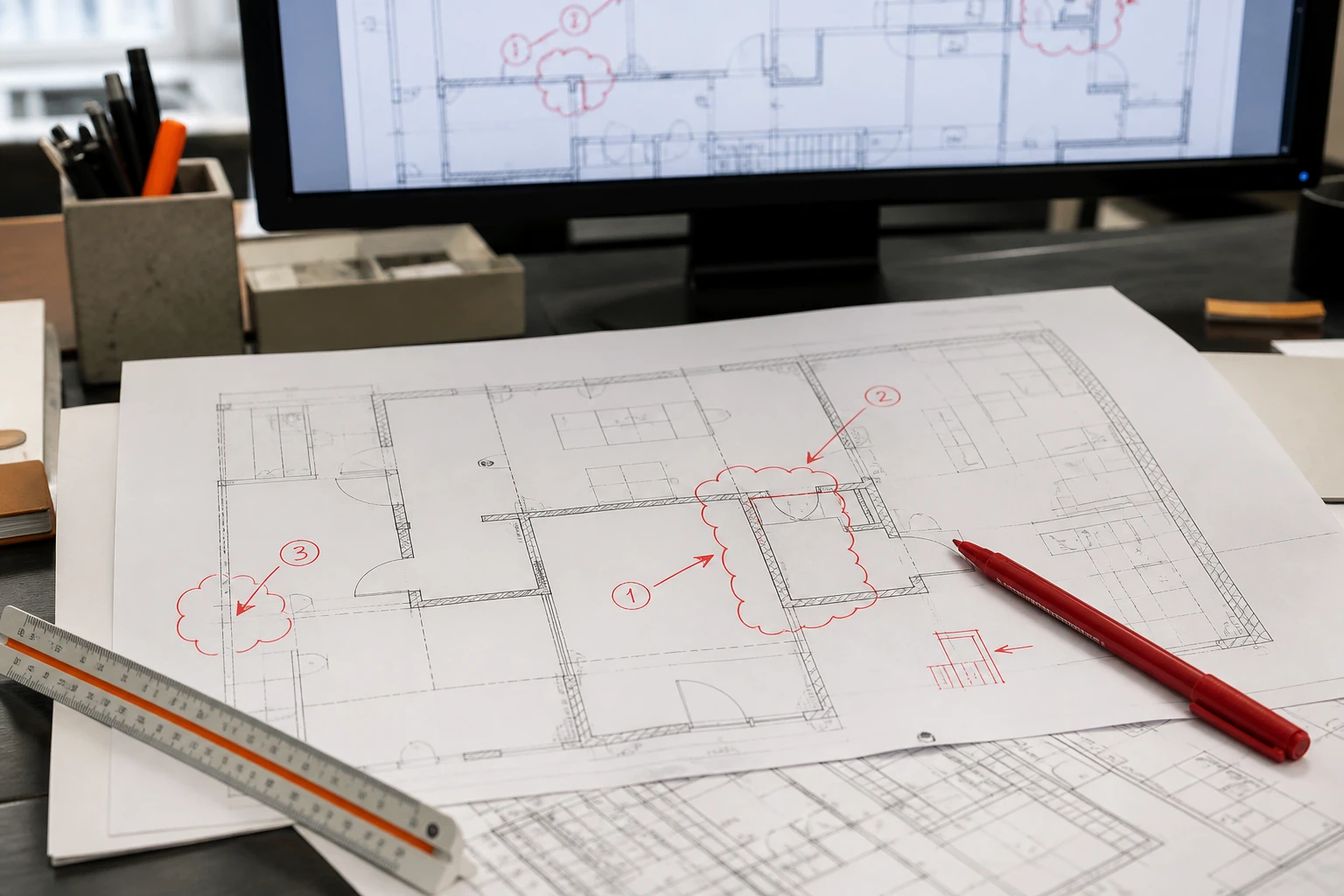
We incorporate your markups into the live drawing file, cloud and tag what changed, and issue a clean revision you can trace comment by comment.
Overview
What is Red-Line Markup?
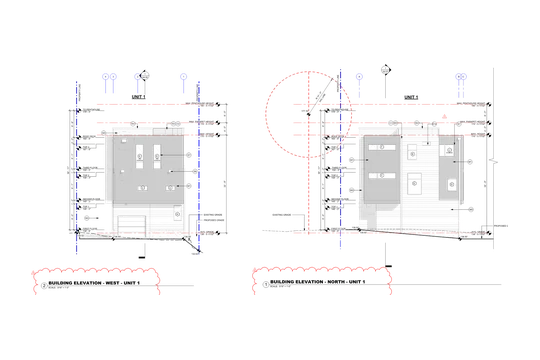
Red Line Markup Services involve updating architectural, structural, and engineering drawings based on handwritten comments, field revisions, site changes, or consultant feedback. Our team of designers incorporates red-line markups into CAD drawings to reflect changes or corrections made during stages such as renovation, maintenance, alteration, and construction. We integrate them when drawings require redrafting or when existing designs must be updated to match recent onsite markups. We apply red-line markups to any drawing type and work with them in a variety of formats, including scanned images, Adobe (PDF) markups, and hard copy drawings. What you send might be a hand markup scanned to PDF, a Bluebeam session full of cloud comments, or a print marked up on site with a pen. Red-line markup drafting is the production work that follows: taking those marks and turning them into a clean, updated drawing set.
Every comment is logged against a revision number, applied to the live file, and back-checked against the markup before the set is issued. That way nothing has to be read twice, and no comment gets dropped between rounds.
Where a comment is unclear or two comments conflict, we raise a query before drafting the change. Design decisions stay with your architect or engineer of record; we incorporate the markups your team issues.
At a glance
-
Best for
-
Revisions & as-built updates
-
Covers
-
Markup incorporation & tracking
-
Input
-
Redlines, PDF markups & Bluebeam
-
Delivery
-
DWG · PDF · RVT
-
Turnaround
-
Agreed per revision batch
What we deliver
What's included in Red-Line Markup
Every round is issued the same way: the markup logged comment by comment, the changes drafted into the native file, the affected sheets clouded and tagged, and the whole set read back against the markup before it goes out.
-
Markup Register
Every comment on the markup logged against a revision number so the round can be tracked and closed.
-
Change Incorporation
Redlines drafted into the live drawing file, so the sheet stays editable and your standards hold.
-
Revision Clouds & Deltas
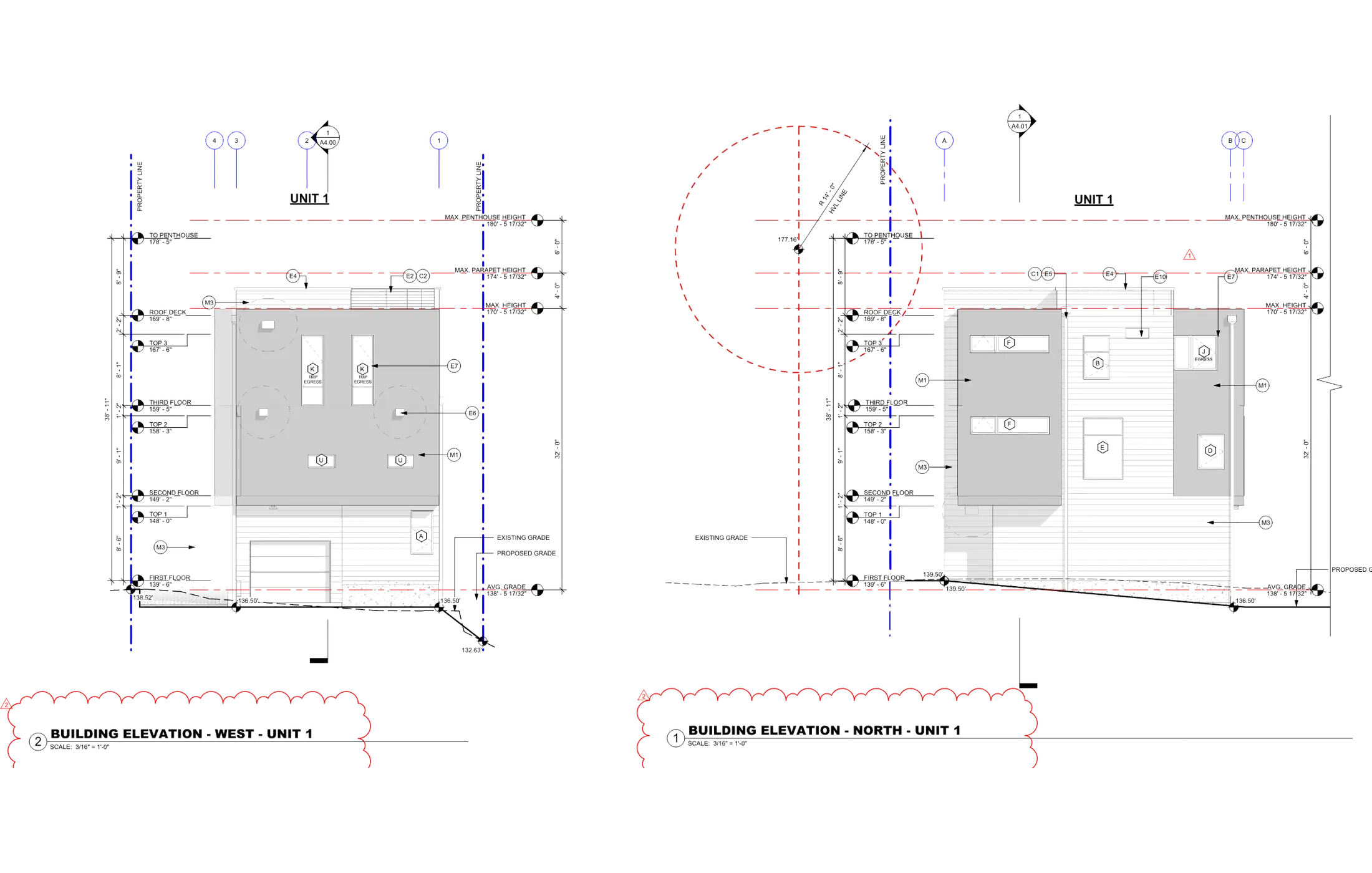
Changed areas clouded and tagged with the revision delta on every affected sheet.
-
Revision History Block
The revision table updated with the number, date, and a description that matches what changed.
-
Knock-On Updates
Plans, sections, schedules, and tags checked so a change in one place carries through the set.
-
Back-Check Pass
The revised sheets read against the original markup, item by item, before anything is issued.
-
Clean Issue Set
A tidy PDF for issue plus the updated native files, named and numbered to your convention.
How a round runs
A controlled revision cycle
Every batch we take moves through the same four stages, in the same order, from the logged markup to the clean issued set.
01
Receive and log the markup
Every redline is logged against a revision number so nothing is lost.
02
Incorporate into the drawings
Changes are made directly on the live drawing file.
03
Back-check against the markup
Each item is ticked off so no comment is missed.
04
Issue the clean revised set
Revision clouds, delta tags and a revision history block.
Why it matters
Why is Red-Line Markup necessary?
Drawings change for as long as a project is live: a reviewer sends comments back, a detail gets resolved on site, or a client asks for a different layout. Each of those arrives as a markup, and until it is incorporated the issued set no longer describes the work.
Sets fall out of step during incorporation. When it is handled loosely, comments get missed, two people end up working from different revisions, and the drawing on site stops matching the one in the office. A controlled markup process keeps one current set that everyone can rely on.
-
The issued set stays current, so the drawing in the field matches the decision that was made.
-
With every comment accounted for, a review round can be signed off instead of left half open.
-
Changes land on the live file, so layers, blocks, and families stay usable for the next revision.
-
Clouds and delta tags show a reviewer exactly what moved, which shortens the following review.
-
The revision history gives the project a clear record of what changed, when, and why.
-
One current set means the trades, the consultants, and the client are all reading the same scope.
Where it applies
Industries We Serve
-
01
Architects & Design Firms
Review comments and client markups turned around as clean revisions while your team stays on the design.
-
02
General Contractors
Field markups and site changes incorporated so the set the trades work from stays current.
-
03
Engineering Consultants
Check prints and coordination comments applied across structural, civil, and MEP sheets.
-
04
Owners & Facility Teams
Marked-up record drawings updated so the building file reflects what is actually there.
-
05
Interior Fit-Out & Retail
Tenant and landlord markups rolled into the fit-out drawings between review rounds.
-
06
Developers & Project Managers
Revision rounds logged and issued on schedule so approvals and pricing keep moving.
-
07
Surveying & Land Teams
Redlined survey and site drawings updated under the same revision control as the rest of the set.
How it works
Our End-to-End Process
01
Receive & Register
We take the markup in whatever legible form it arrives, log every comment, and confirm the revision number.
02
Scope & Query
We flag anything unclear or conflicting and agree on the batch with you before drafting starts.
03
Incorporate
Changes are drafted into your native AutoCAD or Revit files, on the live sheet, to your standards.
04
Cloud, Tag & Check
Affected areas are clouded and tagged, then read back against the markup item by item.
05
Issue & Log
We deliver the revised set with the history block updated and the comment log closed out.
Why Arcengine
Why Choose Us
Drafters, Not Tracers
A trained team that reads a markup in construction terms and flags anything that does not add up.
Comment-Level Tracking
Every redline carries a status from logged to applied to checked, so you can see when a round is ready to close.
Works to Your Standards
Your title blocks, layers, families, and revision conventions, followed exactly.
Built for Fast Rounds
Revision batches are sized and scheduled so a review cycle does not stall waiting on drafting.
Queries, Not Guesses
Unclear or conflicting comments come back to you in writing before anything is changed.
Confidential & Secure
Your markups, drawings, and project data handled securely and privately.
Explore more
Our Other Services
FAQs
Frequently Asked Questions
A red-line markup is a marked-up copy of a drawing that records what has to change. It can be a hand markup scanned to PDF, a Bluebeam session, a set of cloud comments, or a print marked up on site. Red-line markup drafting is the work of applying those marks to the drawing files and issuing a clean revised set.
Scanned hand redlines, PDF markups, Bluebeam sessions, photographs of a marked-up print, and written comment lists. If the markup is legible we can work from it, and we raise a query on anything that is not.
We incorporate exactly what the markup asks for. Design decisions stay with your architect or engineer of record, and anything ambiguous comes back to you as a query before we touch the file.
Every markup is logged against a revision number and each item is ticked off as it is applied. A back-check pass then reads the revised sheet against the original markup before the set is issued.
Yes. Changed areas are clouded, tagged with the revision delta, and recorded in the revision history block on each affected sheet, following your title block convention.
Yes. Changes are made in your native files on the live drawing rather than patched over the top, so layers, blocks, families, and sheet setups stay intact for the next round.
We can redraft the sheet into editable CAD first and then apply the markup to the new file. Tell us the source format up front and we will confirm the redraft scope before the revision starts.
Yes. All project files, markups, and drawings are kept strictly confidential and handled securely.
Get in touch
Send the markup, get back a clean set
Send your scanned redlines, PDF markups, or Bluebeam session along with the drawing files. We will confirm the revision scope, then return a clouded, back-checked set in DWG, PDF, and RVT.