
BIM Modeling Services
Revit Family Creation
Custom parametric Revit families built to your standards: architectural, MEP, structural, furniture, and annotation content that carries the right data and flexes correctly.
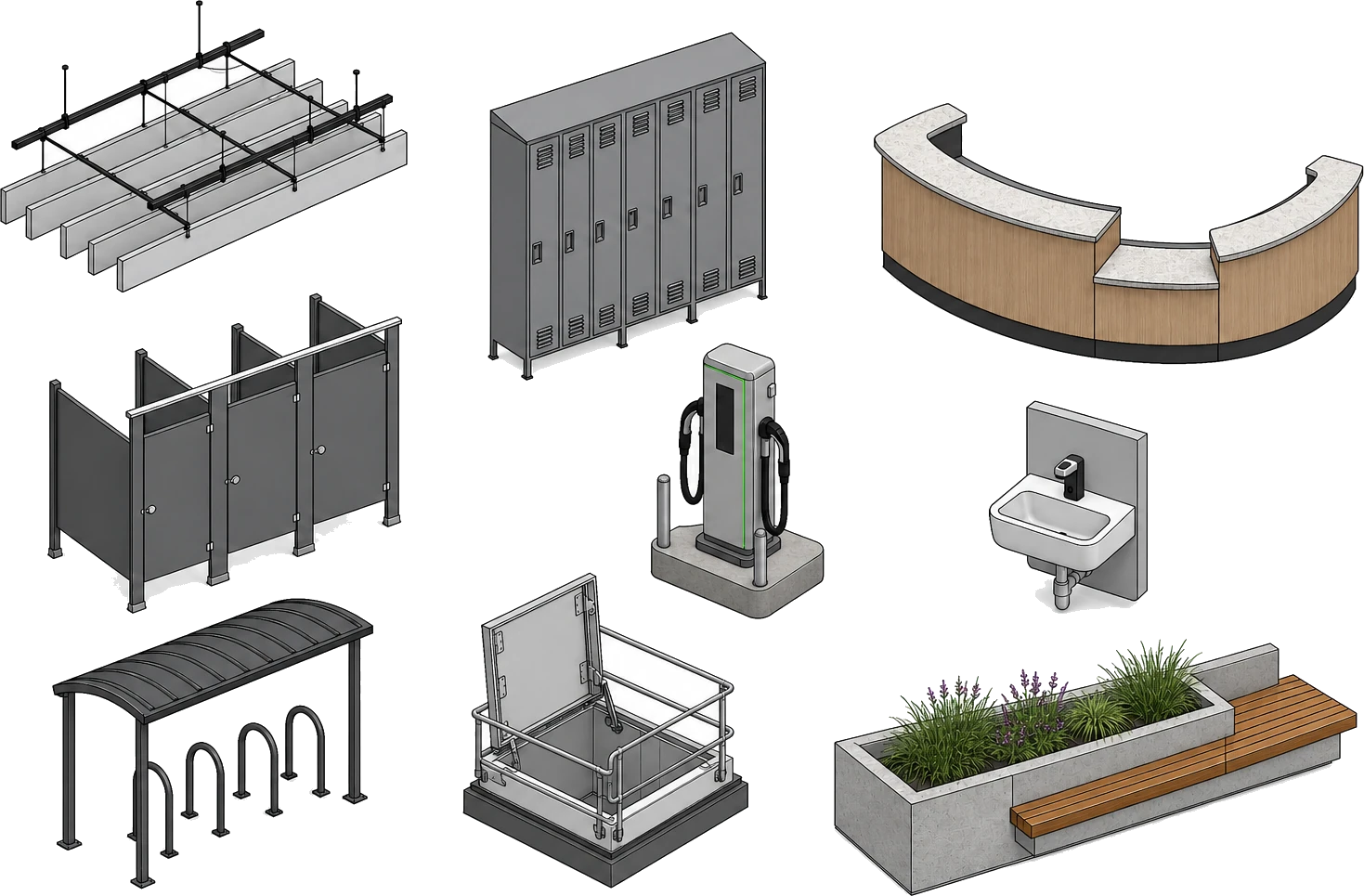
Revit families
Families we build
Door Families Window Families Casework Furniture & FF&E Plumbing Fixtures Lighting Fixtures Mechanical Equipment Electrical Devices
Structural Connections Railings Curtain Panels Title Blocks Annotation Symbols Detail Components Parametric Content Generic Models
Overview
What is Revit Family Creation?
A Revit family is a reusable building component, from a door or light fixture to a steel connection or a title block, built with geometry and parameters so it can be placed, scheduled, and edited inside a Revit model. Revit family creation is the work of authoring that content properly: correct geometry and data, plus behavior that holds up when someone changes a size or a type. A BIM model built from good families is accurate and easy to work with.
Off-the-shelf content rarely fits a real project, so we build custom families to your office standards, with clean nested geometry, controlled parameters, and the level of detail each view needs. That keeps the content light to work with and correct to schedule from. We flex each family across its full size range before it ships, so it does not break when a user edits it in the model.
We author content across every discipline: architectural, furniture and FF and E, MEP, structural, and annotation. We also convert manufacturer catalogs and CAD blocks into loadable Revit content, and we can build a coordinated family library that keeps naming, subcategories, and shared parameters consistent across your whole team.
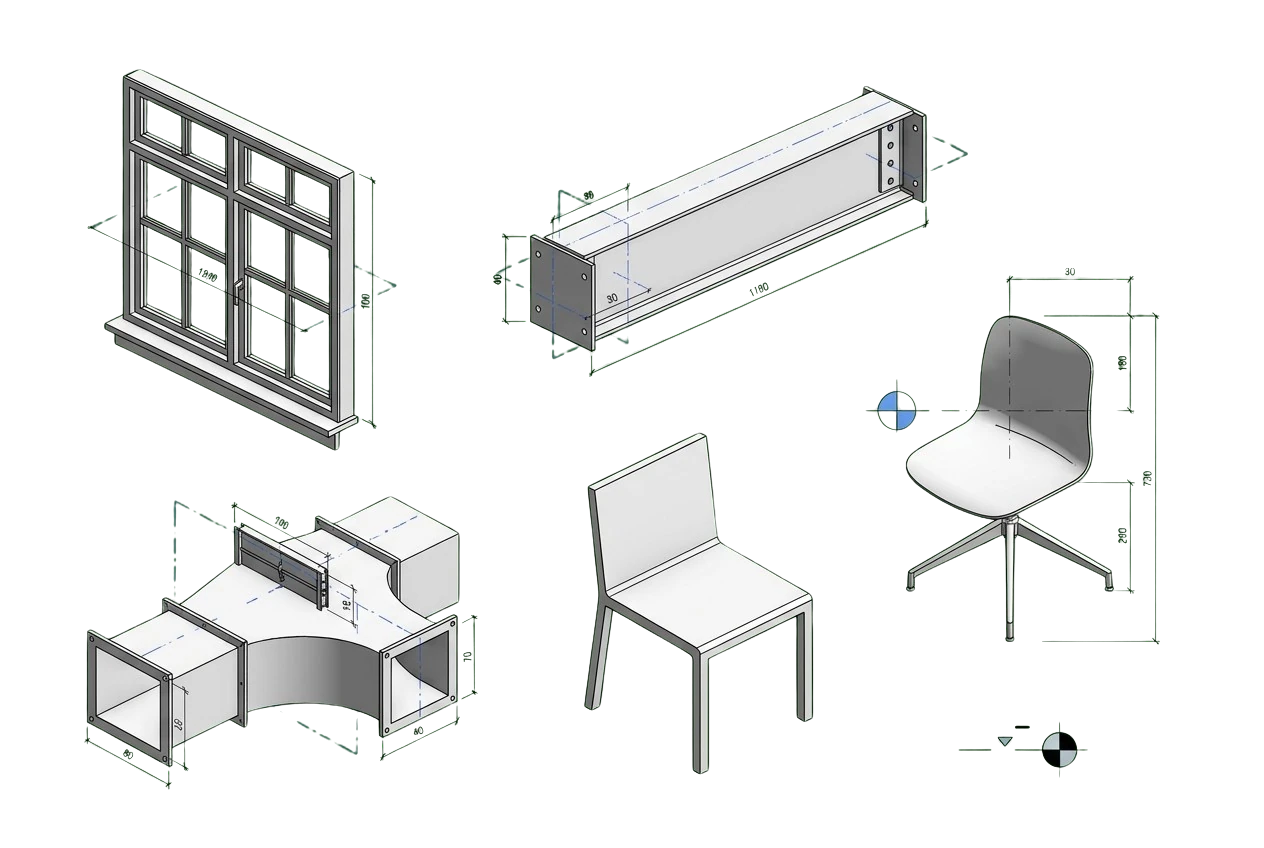
Parametric family
Built on reference planes→driven by parameters
What we deliver
What's included in family creation
Each family is built to your office standards and arrives modeled, flexed, and ready to load, with correct geometry, controlled parameters, clean subcategories, and the data your schedules depend on.
-
Accurate Geometry
Modeled to real dimensions from your cut sheet, drawing, or sample, with clean nested components.
-
Parameters & Constraints
Type and instance parameters, formulas, and reference planes let the family flex without breaking.
-
Type Catalogs
Type catalogs drive the size range, so users pick a variant instead of editing geometry.
-
Shared & Schedulable Data
Shared parameters and identity data are mapped so the family reports correctly to schedules.
-
Level of Detail
Coarse, medium, and fine representations are tuned to keep views light and easy to read.
-
Annotation & Tags
Labels, symbolic lines, and tag families let the content annotate cleanly in every view.
-
Standards & Library
We follow your naming, subcategories, and templates so the family fits your existing content library.
What we build
Family types we author
We build the categories of Revit families your projects use, from a single custom component to a full content library. Each family is modeled to your standards and flexed to work in the model.
Architectural
Doors, windows, and casework modeled with hosting, swings, and openings that behave correctly in walls.
Furniture & Fixtures
FF and E content: seating, tables, storage, and fittings sized and detailed for realistic layouts and schedules.
MEP Components
Ducts, fittings, fixtures, and equipment with connectors, flow data, and clearances for coordinated systems.
Structural
Connections and members built with the geometry and parameters framing and detailing models rely on.
Annotation & Title Blocks
Tags, symbols, keynotes, and sheet title blocks that keep your documentation on standard.
Parametric Content
Fully flexed families driven by type and instance parameters, so one family covers a whole product range.
Whatever the category, every family is built parametric, with clean nested geometry and controlled parameters, so it flexes correctly in the host model. We drive size and type through parameters instead of hard-coded geometry, keep nesting shallow and reusable, and test each type across its range before delivery. The content stays light and schedules accurately, and it will not break when a user edits it.
Why it matters
Why is family creation necessary?
The quality of a Revit model depends on the families inside it. When content is wrong, heavy, or missing data, the model slows down, schedules come out incomplete, and coordination misses real clashes. Purpose-built families prevent this by carrying correct geometry and data, so you can trust every downstream drawing and schedule.
A consistent family library also gives your whole team standardized, reliable content to model with, so projects stay fast and coordinated.
-
The model is built from families, so accurate content gives you an accurate BIM model.
-
Correct parameters and identity data let quantities, schedules, and specifications report reliably.
-
Clean geometry keeps file sizes and view regeneration light, so the model stays fast to work in.
-
Real connectors and clearances let clash detection find actual conflicts during MEP and structural coordination.
-
A standardized library gives the whole team consistent, reusable content instead of ad-hoc modeling.
-
Parametric families flex to new sizes and types without rebuilding, so design changes stay cheap.
Where it applies
Industries We Serve
-
01
Architects & Design Firms
Custom architectural and casework families that match your details and keep the office library on standard.
-
02
MEP Engineers & Contractors
Duct, pipe, fixture, and equipment families with connectors and data for coordinated systems modeling.
-
03
Structural Engineers
Connection and member families built with the parameters framing and detailing models depend on.
-
04
Product Manufacturers
Branded, catalog-driven Revit content that gets your products specified and placed by designers.
-
05
Interior & FF&E Designers
Furniture, fixture, and equipment families sized for realistic layouts and accurate schedules.
-
06
General Contractors & Fabricators
Model-ready families that support quantities, coordination, and fabrication downstream.
-
07
BIM & VDC Teams
Library cleanup and standardized content so every project starts from consistent, reliable families.
How it works
Our End-to-End Process
01
Confirm the Scope
We review your cut sheets or drawings and agree on the parameters to control, the level of detail, and your standards.
02
Build the Framework
We set the family template, reference planes, and constraints so the geometry has a stable skeleton to flex on.
03
Model & Parameterize
We model the geometry, add type and instance parameters, and map shared and schedulable data.
04
Flex & Quality Check
Every type is flexed across its size range and checked for geometry, data, and level of detail.
05
Deliver & Support
We deliver native RFA content and type catalogs, then support loading and revisions as needed.
Why Arcengine
Why Choose Us
Family Content Specialists
A team focused on Revit content across architectural, MEP, structural, and annotation categories.
Truly Parametric Builds
Clean nested geometry and controlled parameters, flexed across every size so nothing breaks in the model.
Lightweight & Schedulable
Efficient geometry and correct data keep files light and schedules accurate.
Works to Your Standards
Your family templates, naming, subcategories, and shared parameters, followed exactly.
Fast, Reliable Turnaround
Our workflow scales from a single family to a full library, and we deliver on schedule.
Confidential & Secure
Your content and project data handled securely and privately.
Explore more
Our Other Services
FAQs
Frequently Asked Questions
A Revit family is a reusable building component, such as a door, light fixture, or steel connection, built with geometry and parameters so it can be placed, scheduled, and edited inside a Revit model. Along with its shape, a well-built family carries the data and behavior the project needs.
Send a manufacturer cut sheet, dimensioned drawing, sketch, or sample product. Tell us the type and instance parameters you want to control, the level of detail you need, and any naming or template standards to follow. We confirm the scope before modeling.
We author architectural families such as doors, windows, and casework, plus furniture and FF and E. For MEP we build components including ducts, fittings, fixtures, and equipment, and for structural work, connections and members. We also create annotation and title blocks, and fully parametric content flexed with type and instance parameters.
Yes. Every family is built parametric, with clean nested geometry and controlled parameters, so it flexes correctly in the host model. We test each type across its size range before delivery so nothing breaks when a user edits it.
Yes. We build to your family templates, naming rules, subcategories, shared parameters, and level of detail. You approve a sample family before full production, so the whole library stays consistent.
Yes. We turn manufacturer catalogs, cut sheets, and CAD blocks into accurate loadable families and type catalogs that designers can download and specify.
We deliver native RFA content in the Revit version you request and can save families back to earlier versions where needed, so the library works with your current project setup.
Yes. We keep all project files and content strictly confidential and manage the data securely.
Get in touch
Custom Revit content, built to flex
Send your cut sheets, drawings, or a sample product. We will confirm the parameters and standards, then return parametric, tested Revit families as native RFA content.