
BIM Modeling
CAD to Revit Conversion Services
Our CAD to BIM conversion services turn your 2D drawings and PDFs into parametric Revit models. We rebuild flat linework as building elements, coordinate the disciplines, and generate sheets and schedules to your LOD and standards.
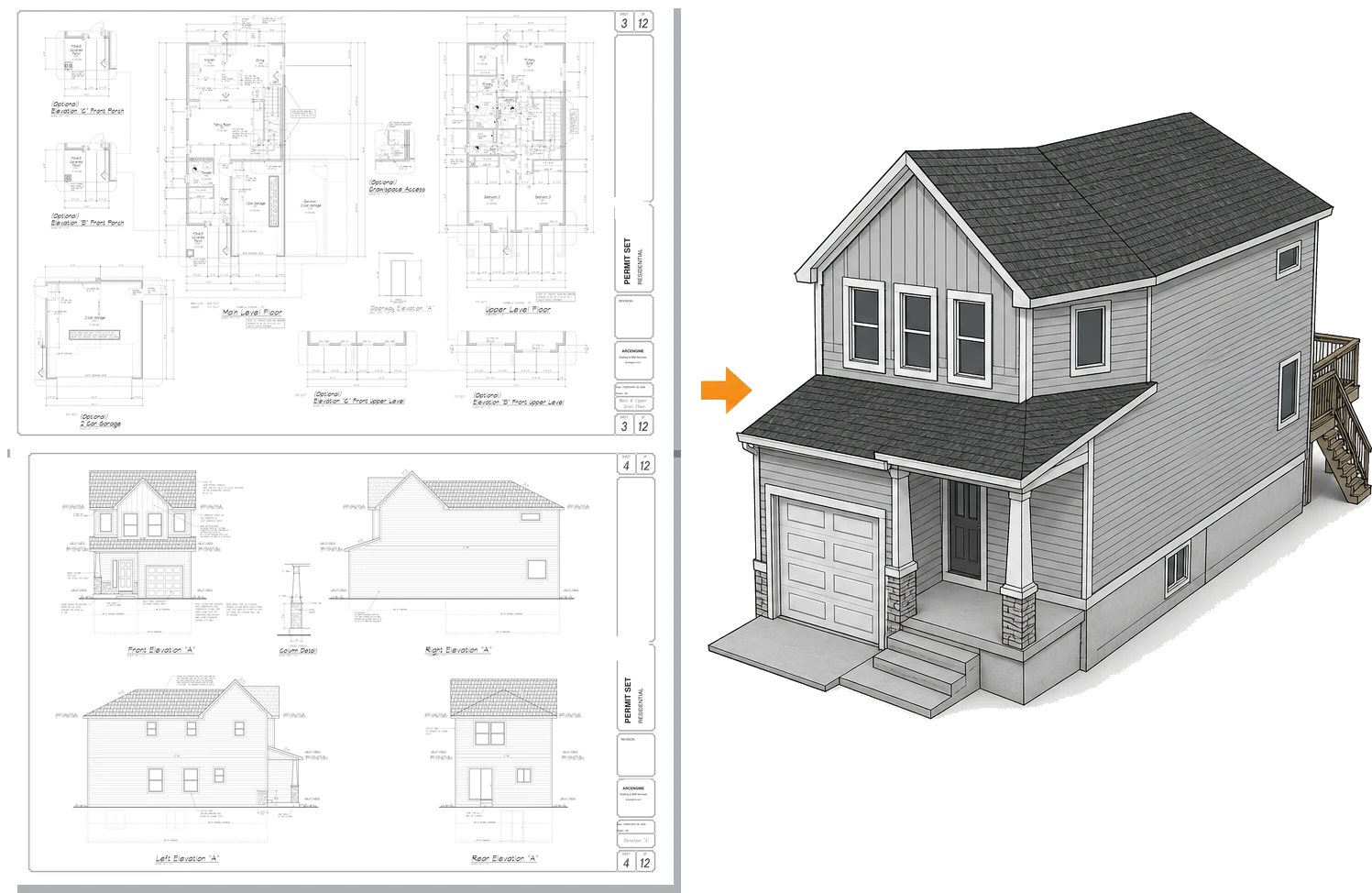
CAD to Revit
Drawings we turn into Revit models
PDF Plan Sets DWG Floor Plans Scanned Drawings Hand Sketches Elevations Building Sections Detail Sheets Door & Window Schedules
Site Plans MEP Layouts Structural Drawings Reflected Ceiling Plans Legacy CAD Files Redline Markups As-Built Sketches Survey Drawings
Overview
What is CAD to BIM?
CAD to BIM is the process of rebuilding 2D CAD drawings and PDFs as an intelligent 3D model. When that model is built in Autodesk Revit, as ours are, the work is called CAD to Revit conversion. Walls, floors, beams, and pipes that were disconnected lines become parametric objects that know what they are and carry data, so you can coordinate, schedule, and document from the model.
Flat drawings describe a project one view at a time. A Revit model holds the whole building, so plans, elevations, sections, and schedules read from the same data and stay in sync. Design coordination, clash detection, and quantity takeoffs all run on that model.
We convert architectural, structural, and MEP drawings into one coordinated model, built to the Level of Development (LOD) your project needs and to your Revit standards and naming conventions. Recurring CAD blocks become parametric Revit families, so the model stays consistent and easy to schedule.
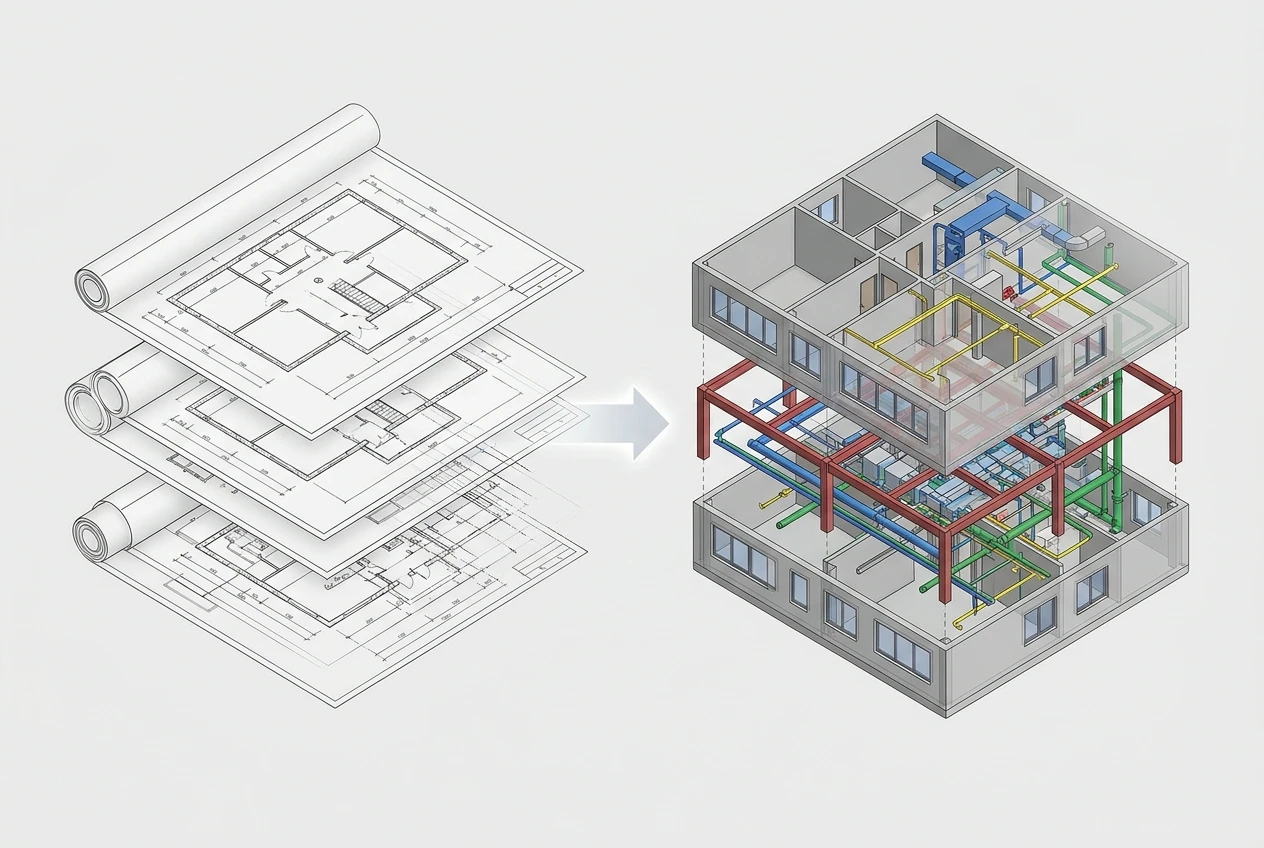
What we deliver
What you get from CAD to BIM conversion
We build and check every conversion as one coordinated Revit model, with building elements, parametric families, and sheets and schedules that read straight from the model, all to your LOD and standards.
-
DWG & PDF to Revit
AutoCAD DWG, DXF, and PDF drawings rebuilt as a parametric Revit model.
-
Architectural Modeling
Walls, floors, roofs, doors, and windows modeled from your architectural drawings.
-
Structural Modeling
Columns, beams, slabs, and framing modeled from structural plans and details.
-
MEP Modeling
Mechanical, electrical, plumbing, medical gas, and low-voltage systems modeled and coordinated.
-
Families from CAD Blocks
Recurring CAD blocks and details rebuilt as parametric, schedulable Revit families.
-
Sheets & Schedules
Plans, elevations, sections, and schedules generated from the model on your title blocks.
-
QA Against Source
Every element checked back against the source drawings, with assumptions flagged.
Accepted inputs
What we convert from
Send whatever you have. We build an accurate model from a wide range of 2D sources, from clean CAD files to old scans and hand sketches.
DWG / DXF Drawings
DWG and DXF files used as a Revit underlay and modeled element by element.
PDF Drawing Sets
Vector or raster PDF sheets scaled, aligned, and rebuilt as a model.
Scanned / Legacy Drawings
Older scanned sheets and archive drawings digitized into an editable Revit model.
Hand Sketches
Design sketches and hand-drawn plans interpreted into modeled Revit geometry.
Marked-Up Drawings
Redlined prints and PDF markups modeled with your notes and revisions carried through.
Existing CAD Standards
Your layers, blocks, naming conventions, and title blocks mapped into Revit.
The clearer and more complete the input, the more accurate the model. Where a drawing is ambiguous, incomplete, or contradicts another sheet, we make a sensible assumption and flag it for your review.
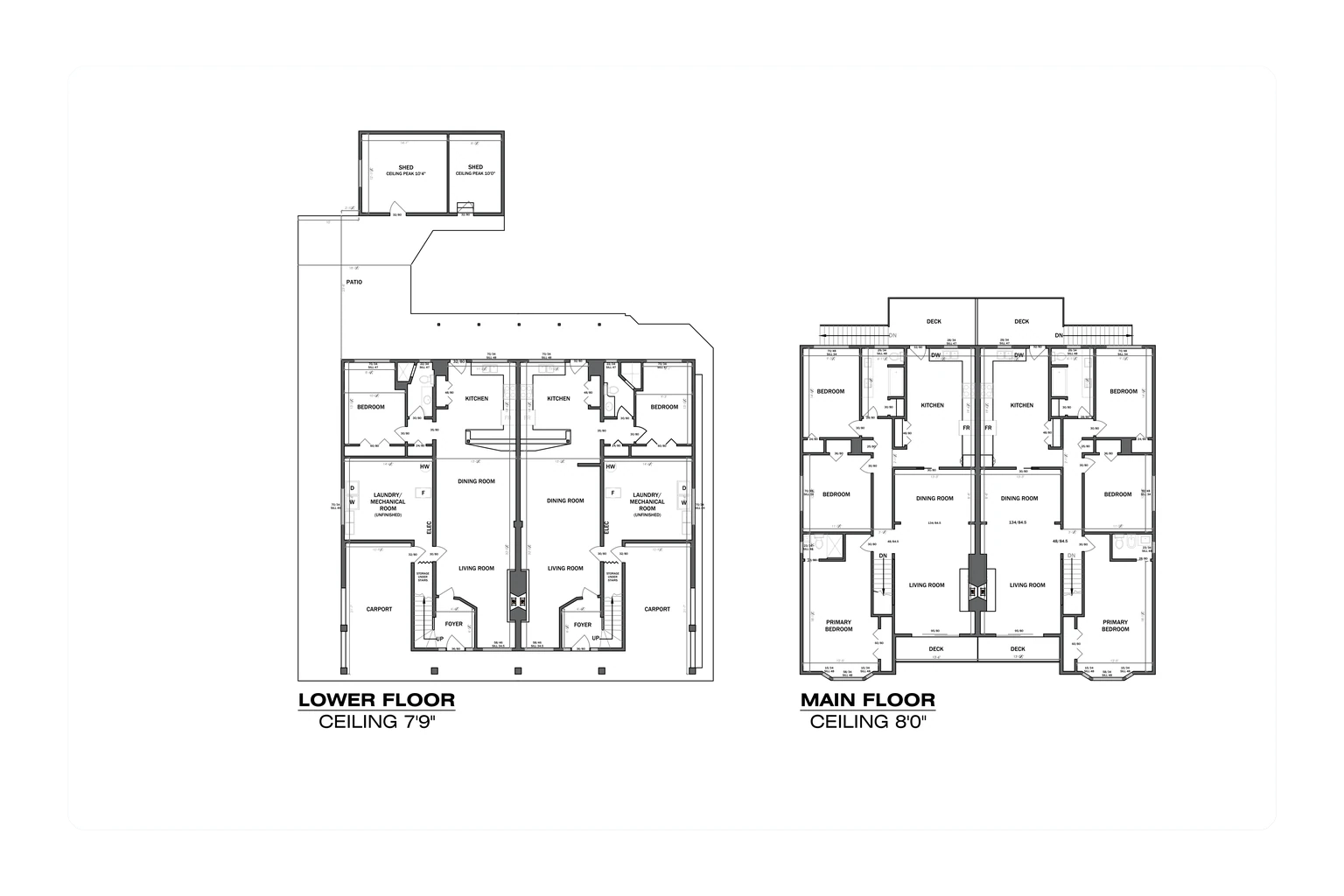
Why it matters
Why convert CAD to Revit?
In a CAD drawing set, each sheet is drafted separately, so one change has to be chased through every plan, elevation, and section that shows it. Miss one and the set contradicts itself. A Revit model draws every view from the same elements, so you make a revision once.
CAD to Revit conversion replaces static linework with a model your team can keep current for the life of the building.
-
Quantity takeoffs come from model schedules instead of counting blocks sheet by sheet.
-
Automated clash detection needs a 3D model; 2D sheets can only be overlaid and checked by eye.
-
Consultants can open the model as IFC, even if they work in software other than Revit.
-
Archive drawings become an editable model to plan renovations and retrofits from.
-
Rooms and equipment in the model can be delivered as COBie data for facility handover.
-
Later sheets and 3D views are cut from the model instead of drafted from scratch.
Where it applies
Industries We Serve
-
01
Architects & Design Firms
Legacy 2D drawings converted into working Revit models for design development and documentation.
-
02
Engineering Firms
Structural and MEP drawings rebuilt as coordinated Revit models for design and detailing.
-
03
General Contractors
2D construction sets rebuilt as models for quantity takeoffs and sequencing.
-
04
Property Developers
Portfolio and asset drawings turned into models that support planning and future work.
-
05
Facility Managers
Old building drawings modeled in Revit for operations, space planning, and maintenance.
-
06
Design-Build Teams
Designers and builders on your team work from a single shared Revit model.
-
07
Renovation & Retrofit Teams
Existing-condition drawings converted into models for additions, remodels, and upgrades.
How it works
Our CAD to Revit Conversion Process
01
Review the Drawings & Standards
We check your 2D inputs, confirm scope and target LOD, and agree on your BIM Execution Plan (BEP) and standards.
02
Set Up the Revit Template
We configure the Revit template, title blocks, levels, and grids from your drawings.
03
Model to Your LOD
Once you approve a sample area, we model every discipline in scope to the agreed LOD.
04
QA Against the Source
We check every element back against the source drawings and flag any assumptions.
05
Deliver in Your Formats
We issue the model with sheets and schedules in RVT, IFC, and DWG as needed.
Why Arcengine
Why Choose Us
Accurate to the Source
Every element is modeled and checked back against your drawings, with assumptions flagged.
Works from Any 2D Input
DWG, DXF, PDF, scans, sketches, and marked-up prints all become a usable model.
Built to Your LOD & BEP
Modeled at the LOD your BIM Execution Plan sets, from LOD 100 to 400.
Discipline Coordination
Architectural, structural, and MEP kept aligned in one coordinated Revit project.
Fixed Price, Deadlines Kept
You know the cost up front, and we keep the delivery dates we agree on.
Confidential & Secure
We sign NDAs on request. Your drawings and models stay confidential from intake to delivery.
Explore more
Our Other Services
FAQs
Frequently Asked Questions
CAD to Revit conversion includes rebuilding your 2D drawings as a parametric Revit model, turning your CAD blocks into Revit families, and generating sheets and schedules from the model. It covers architectural, structural, and MEP drawings. You get native RVT files, plus IFC and DWG exports when you need them.
We convert AutoCAD DWG and DXF files, vector or raster PDF sets, scanned and legacy drawings, hand sketches, and redlined prints or PDF markups. Mixed sets are fine. If a sheet is unclear or conflicts with another, we flag the assumption we made so you can review it. If you need editable 2D AutoCAD files rather than a Revit model, see our CAD conversion services.
Not fully. Revit can link or import a DWG, but the linework stays CAD geometry with no building data attached. Walls, floors, doors, and MEP runs still have to be modeled as Revit elements over that underlay, then checked against the source drawings. That modeling and checking is most of the work in a CAD to Revit conversion.
We model from LOD 100 to LOD 400, depending on what the model is for and what your BIM Execution Plan requires. We confirm the target LOD for each element before production starts. LOD 500 means field-verified, so a model converted from drawings alone cannot claim it.
Yes. Doors, windows, fixtures, and equipment drawn as CAD blocks are rebuilt as parametric Revit families, so each type can be scheduled and stays identical wherever it is placed. For standalone family libraries, see our Revit family creation service.
Yes. We build in your Revit template and follow your title blocks, naming conventions, and modeling standards. If you have no template, we set one up from your drawings. Before full production, we model a sample area for your approval, so any standards issues are fixed early.
CAD to BIM builds the model from your existing 2D drawings, while Scan to BIM builds it from a laser-scan point cloud of the building as it stands today. A model converted from drawings is only as accurate as those drawings, so if they are out of date or the building has changed, a scan gives a more reliable record of existing conditions.
We quote a fixed price after reviewing your drawing set, so the cost is agreed before work starts. The main drivers are the number of sheets, the disciplines to convert, the target LOD, and how clean the source is, since scanned prints take longer to read than layered DWG files. To check the output first, start with a pilot on one of your real sheets, turned around in 48 hours.
Get in touch
From flat drawings to an intelligent model
Send your DWG, DXF, PDF, or scanned drawings for a fixed-price quote. We confirm the scope, LOD, and standards, then return a coordinated Revit model with sheets and schedules in RVT, IFC, and DWG.