
Architecture
Architectural BIM Services
Architectural modeling in Revit for residential and commercial projects. You get one coordinated model at your agreed LOD, plus the sheets, views, and schedules to document and build from.
Overview
What are Architectural BIM Services?
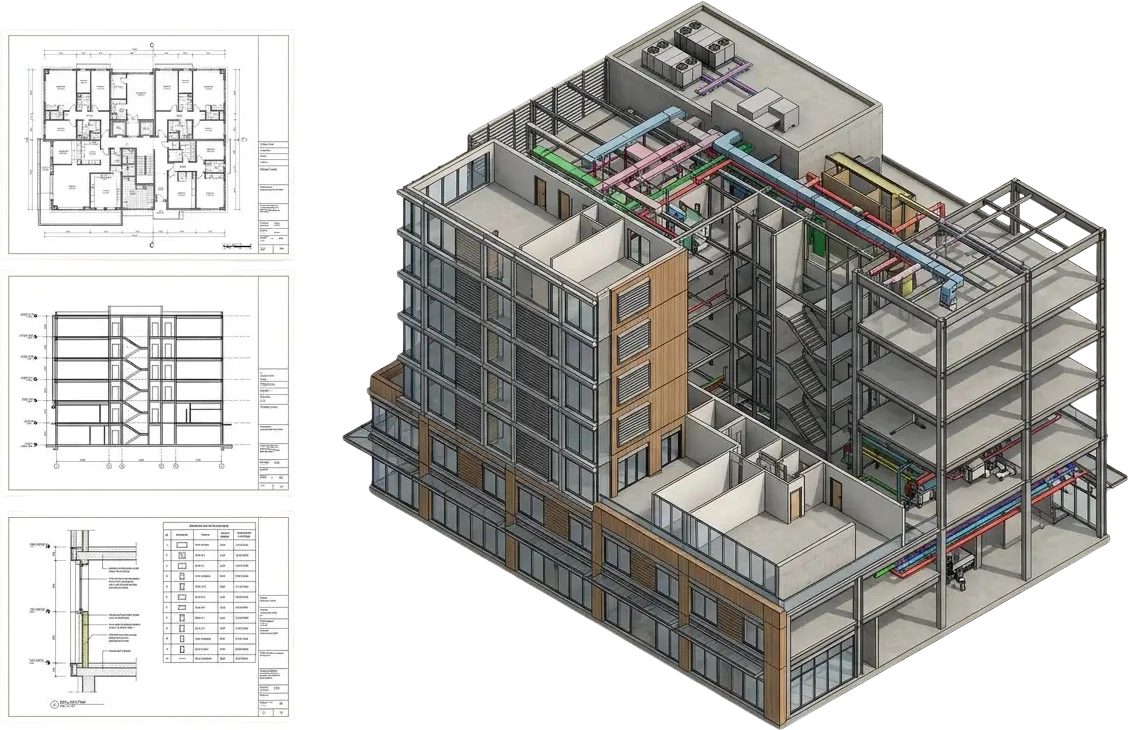
Architectural BIM services are the modeling and documentation of a building's architecture in one 3D model, where each element carries both geometry and information such as materials and specifications. That model is the single source of truth for the design, and the sheets, views, schedules, and quantities are all taken from it.
We deliver architectural modeling services in Autodesk Revit. Each model is built to the Level of Development your project calls for and follows your BIM Execution Plan for templates, naming, and shared parameters. When the design changes, the plans, elevations, sections, and schedules update with the model, so the whole set stays coordinated.
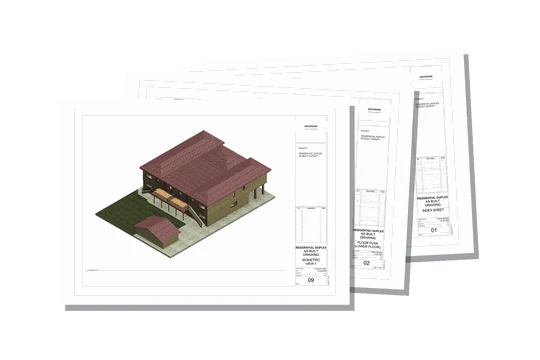
We model from concept designs, sketches, PDF sets, CAD drawings, or a laser scan point cloud of an existing building, and we coordinate the architectural model with structural and MEP where the project needs it. That model then carries the project from early design through documentation to a field-verified as-built record.
Single source of truth
One Revit model
Everything extracts from it
Sheets & views
Schedules & quantities
Coordinated IFC
Field-verified as-built
What we deliver
What's included in Architecture BIM Services
A coordinated Revit model plus the outputs that come straight from it: sheets, schedules, families, and coordinated exports, all built to your Level of Development and BIM Execution Plan.
-
Architectural Revit Model
A 3D model with walls, floors, roofs, doors, and windows built as real objects that carry data.
-
Sheets & Views from the Model
Plans, elevations, sections, and details generated from the model, so every view matches the others.
-
Schedules & Material Quantities
Door, window, room, and area schedules, plus model-based quantity takeoffs for cost estimating.
-
Revit Family Creation
Parametric Revit families and content built with the parameters your schedules and standards need.
-
Scan to BIM / As-Built Models
Laser scan point clouds converted into as-built Revit models of existing conditions.
-
Design Option & Phasing Support
Revit design options for alternative schemes, and phasing that separates existing, demolished, and new work.
-
Model Coordination & Export (IFC)
Models prepared for clash detection against structural and MEP, plus IFC exports for open exchange.
Level of Development
Architectural modeling from LOD 100 to 500
The BIMForum LOD Specification defines LOD 100 to 400, adding LOD 350 for coordination, and treats LOD 500 as field verification. We build each element to the level your project stage needs, so you know which geometry and information you can rely on.
LOD100
Concept
Massing and feasibility studies. Elements appear as a symbol or generic mass to test scale, form, and gross area.
LOD200
Approximate
Generic elements with approximate size, shape, and location. Enough for early design and coordination intent.
LOD300
Precise
Accurate geometry with specific size, shape, and location, suitable for reliable documentation.
LOD350
Coordination
Interfaces and connections to other elements and trades are modeled, ready for cross-discipline coordination and clash detection.
LOD400
Fabrication
Detail sufficient for fabrication and installation, with specific assemblies and mounting information.
LOD500
As-Built
A record of the building as actually constructed, verified against conditions in the field.
LOD stands for Level of Development, not level of detail.
Why it matters
Why are Architectural BIM Services necessary?
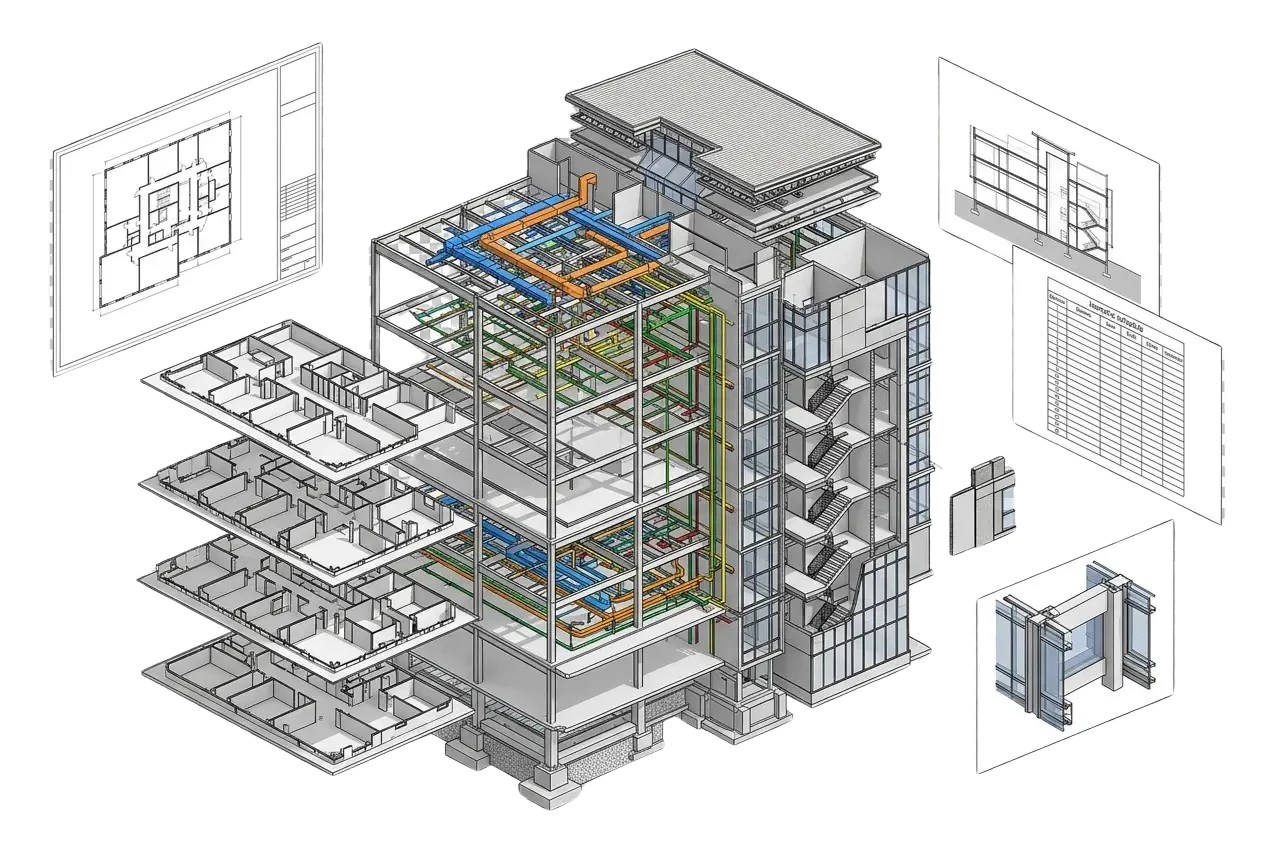
A coordinated model gives the whole project one reliable source for the architecture. Every sheet and schedule comes from that model, so the drawings agree with each other, and problems surface on screen instead of on site.
The model also lets architects, engineers, and contractors work from the same information, instead of separate drawing sets that drift apart as the design changes.
-
A coordinated model reduces clashes and rework by resolving conflicts before construction starts.
-
3D views help clients and stakeholders review the design before the documents are issued.
-
Design options let your team compare alternatives in the same model before committing to one.
-
Quantities and areas come from model elements, so cost plans track the current design.
-
The model shares grids, levels, and coordinates with structural and MEP models, so all three line up.
-
At handover, the as-built model gives facility managers a usable record for operations and maintenance.
Where it applies
Industries We Serve
-
01
Architects & Design Firms
Overflow modeling that turns design intent into a coordinated Revit model and documentation set.
-
02
Developers
Reliable models for residential, commercial, and mixed-use projects across their lifecycle.
-
03
General Contractors
Build-ready models with accurate quantities that keep coordination and sequencing on track.
-
04
Engineering Consultants
Architectural models coordinated cleanly with structural and MEP disciplines.
-
05
BIM Managers
Production capacity that follows your BIM Execution Plan, templates, and content standards.
-
06
Owners & Facility Managers
As-built models for operations and maintenance, plus COBie data for facility handover.
-
07
Government & Public Sector
Models and documentation for government and public-sector projects, built to the project's BIM Execution Plan.
How it works
Our End-to-End Process
01
Confirm BEP, LOD & Scope
We agree on the BIM Execution Plan, target LOD, source files, and deliverables up front.
02
Model the Architecture
We build the Revit model to your standards, templates, and shared parameters.
03
Create Sheets & Schedules
We place plans, elevations, sections, details, and schedules on sheets, ready for review.
04
Coordinate & QA
We coordinate with other disciplines and check the model against the LOD and BEP.
05
Deliver in Your Formats
We issue the model and outputs as RVT, IFC, DWG, and PDF, ready to use.
Why Arcengine
Why Choose Us
Built to Your BEP
We work to your BIM Execution Plan, templates, naming, and shared parameters.
LOD-Right Modeling
Each element modeled to the Level of Development your project stage actually needs.
12+ Years of Experience
Drafting and BIM production for 90+ client firms in the U.S. and abroad.
70+ Team Members
CAD drafters, detailers, and BIM modelers, with 150K+ production hours a year between them.
Fixed Price, Deadlines Kept
You get a fixed-price quote up front, and we deliver on the dates we agree to.
Start With a Pilot
Try us on a real sheet or model, turned around in 48 hours, before full production.
Explore more
Our Other Services
FAQs
Frequently Asked Questions
Architectural BIM services include a coordinated Revit model of the building plus the sheets, views, schedules, and quantities produced from it. Depending on the project, they can also cover Revit family creation, Scan to BIM as-built models, design options and phasing, and IFC exports for coordination with structural and MEP teams.
We model architectural elements from LOD 100 concept through LOD 200, 300, 350, and 400, as defined in the BIMForum LOD Specification, and to LOD 500 when the model is field-verified as built. Each element is modeled to the LOD your BIM Execution Plan calls for, so geometry and information match the stage of the project.
We build architectural models in Autodesk Revit and deliver native RVT files, plus IFC for open exchange with consultants who use other BIM software. Sheets and views also go out as DWG and PDF, so team members without Revit can still review the set. For owners, we can deliver COBie data for facility handover.
Yes. We convert 2D CAD drawings, PDF sets, and sketches into a coordinated Revit model, and we confirm the source files and target LOD before modeling starts. If the building already exists and has been laser scanned, we can model from the point cloud instead. If you only need existing drawings converted, see CAD to BIM conversion.
Yes. We work to your BIM Execution Plan, including its templates, naming, shared parameters, and worksets. We also work to ISO 19650 for information management. We send a sample for your review and approval before full production starts. If you don't have a BIM Execution Plan yet, we agree on the target LOD, source files, and deliverables with you up front.
Yes. We build parametric Revit families (RFA files) and content, from doors, windows, and furniture to custom architectural components. Each family carries the parameters your schedules and tags need and follows your naming and shared-parameter standards.
Yes. We convert laser scan point clouds into as-built Revit models of existing conditions, verified against the scan to the agreed tolerance and LOD. Design teams and owners use these models as the starting point for renovation work or as a record for facility management. See Scan to BIM for raw scans, or Point Cloud to BIM if your cloud is already registered.
Yes. We sign NDAs on request. Every file you send, including CAD drawings, PDF sets, scans, and BIM execution plans, is kept strictly confidential and handled securely. The same applies to the models, sheets, and exports we return to you. If your firm has other confidentiality requirements, include them with your quote request.
Get in touch
Coordinated models, build-ready sheets
Send your CAD, PDF, sketches, or a scan, along with your BIM Execution Plan and target LOD, and we will reply with a fixed-price quote. We then build a coordinated Revit model and return it with sheets and schedules in RVT, IFC, DWG, and PDF.