
BIM Modeling
Clash Detection Services
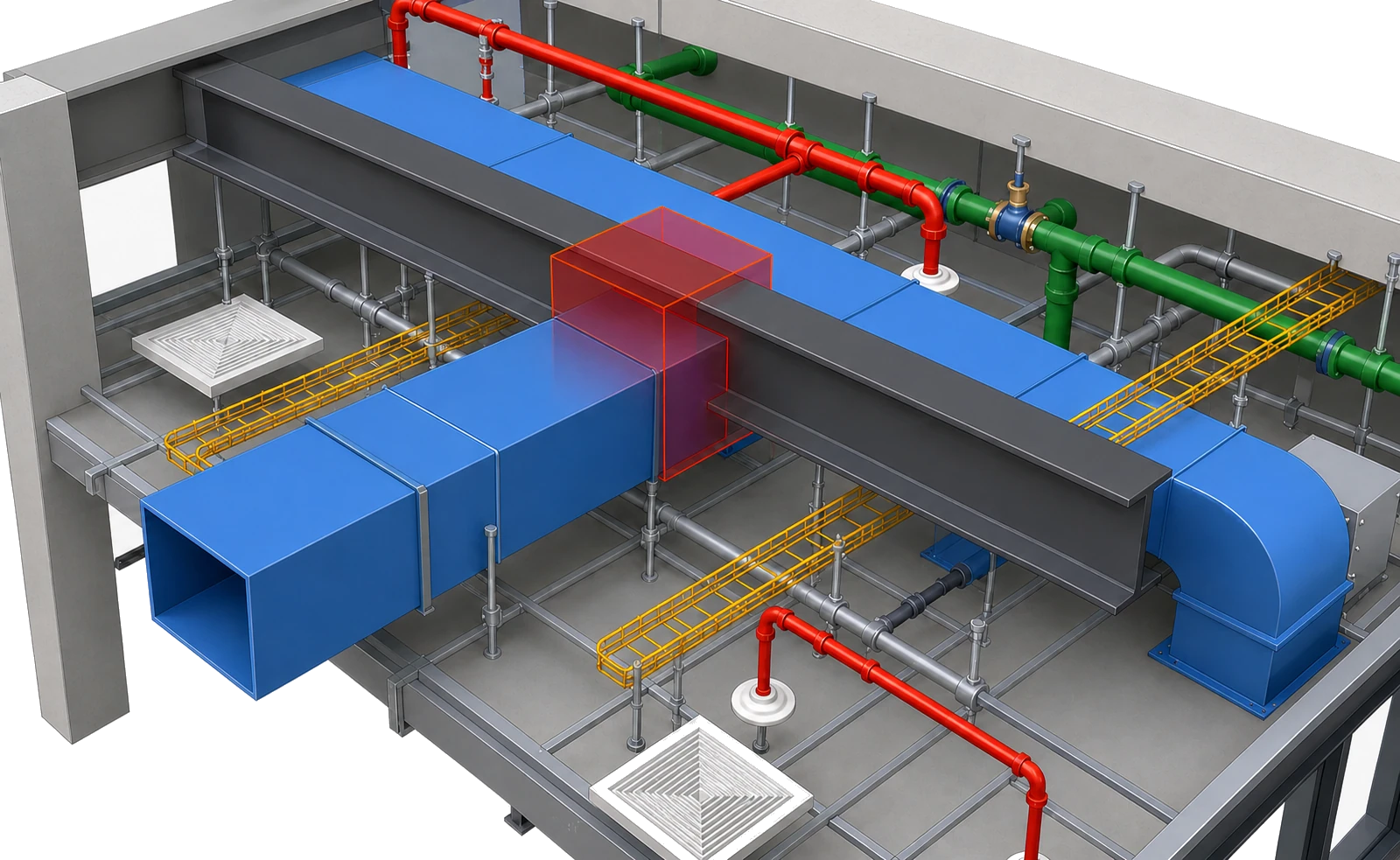
Our BIM clash detection services federate your architectural, structural, and MEP models in Navisworks Manage, run rule-based clash tests, and issue tracked reports, so conflicts get fixed in the model before they reach the site.
Overview
What is Clash Detection?
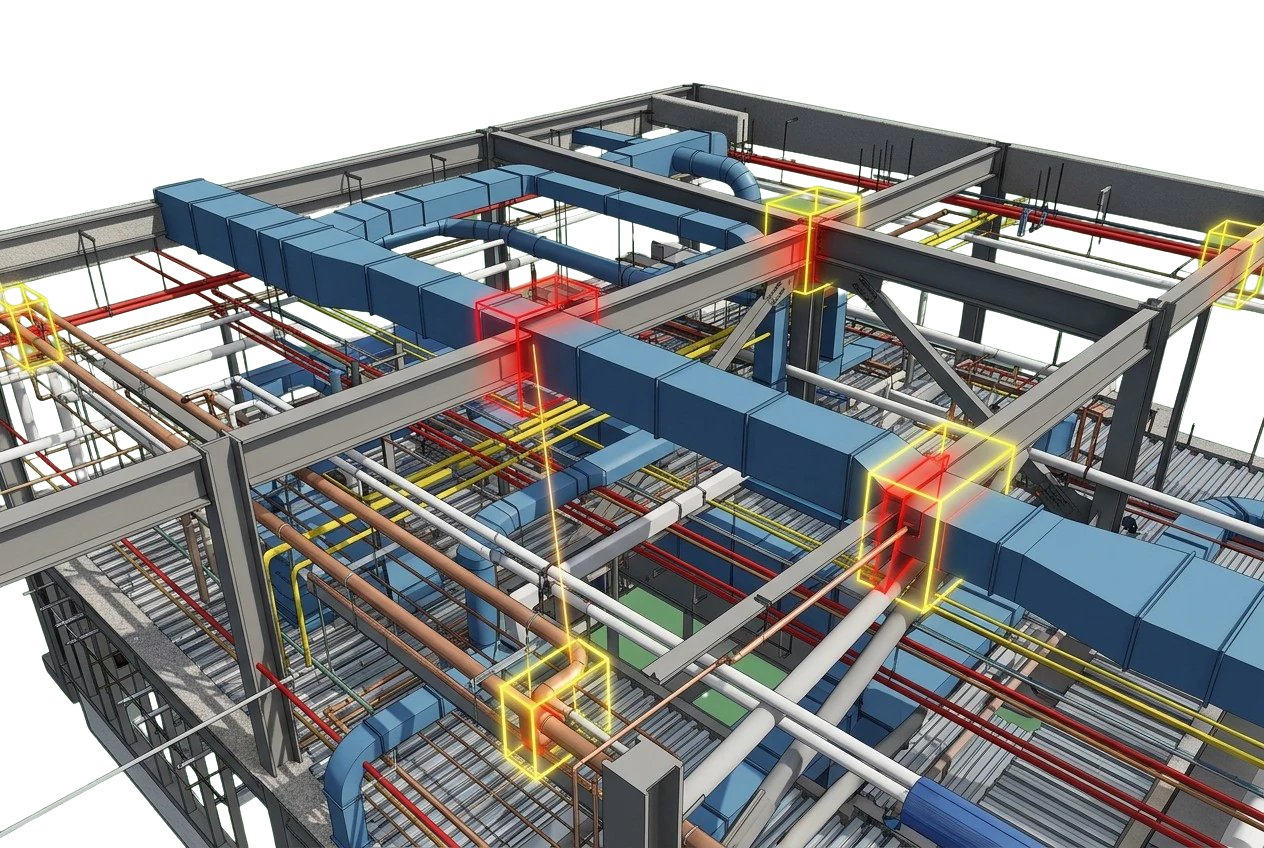
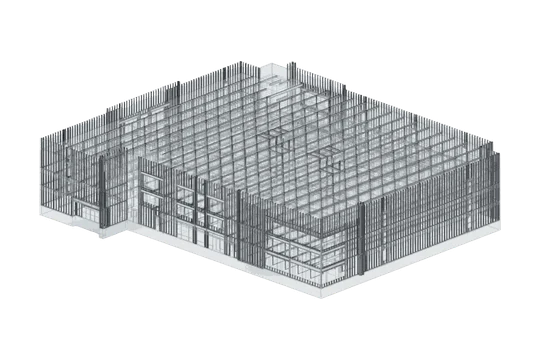
Clash detection is the process of combining separate discipline models into one federated model and checking them against each other for conflicts before construction begins. Architectural, structural, and MEP models are brought together on shared coordinates, then tested so that overlapping ducts, beams that cut through pipes, and cramped service routes are found while they are still easy and cheap to fix.
We run BIM clash detection in Autodesk Navisworks Manage, testing each discipline model against the others. The models are usually authored in Revit. Every conflict is grouped, prioritized, and logged in a tracked report showing where each clash is and how urgently it needs fixing.
We also work with the model authors on fixes and re-run the tests until the federated model is clash-free. Your team can then move into procurement, prefabrication, and installation knowing the conflicts were resolved in the model. For coordination across the full project, see our BIM coordination services.
At a glance
-
Run in
-
Navisworks Manage
-
Best for
-
Coordination & risk reduction
-
Covers
-
Hard, soft & workflow clashes
-
Inputs
-
RVT, IFC, NWC
-
Delivery
-
NWD & clash reports
What we deliver
What's included in Clash Detection
We cover the full clash detection cycle, from federating your discipline models to signing off a clash-free model, with tracked reports and resolution support at each step.
-
Model Federation
Discipline models combined on shared coordinates into one federated model.
-
Clash Test Setup
Clash tests and search sets configured in Navisworks to your clash matrix and tolerances.
-
Hard Clash Detection
Elements that occupy the same space, such as a duct or pipe running through a beam.
-
Soft / Clearance Clashes
Elements that don't touch but still block clearance, access, maintenance, or installation space.
-
Tracked Clash Reports
Grouped, prioritized reports that give each clash its location, the disciplines involved, and a status.
-
Resolution Coordination
We work with model authors to agree on fixes and update the coordinated model.
-
Re-run & Sign-off
Tests re-run after each model update until no clashes remain open and the model is signed off.
How we work
The clash detection workflow
Four steps take your separate discipline models to a coordinated result, and we repeat the cycle until nothing is left to resolve.
01
Federate
Combine the architectural, structural, and MEP models on shared coordinates into one federated model.
02
Test
Run clash tests that check each discipline against the others, as set out in the clash matrix.
03
Report
Group and prioritize the conflicts, then issue tracked reports that give each one a location, severity, and status.
04
Resolve
Agree fixes with the model authors, then re-test the updated models to confirm each clash is cleared.
Clash types we cover
We test for hard clashes where elements physically overlap, soft or clearance clashes where required space and tolerances are breached, and workflow or 4D clashes in sequencing and installation order when you share a construction schedule.
Why it matters
Why is Clash Detection necessary?
A clash found in the model is usually a quick edit. Found on site, the same clash can mean rework, idle crews, and re-ordered material. Clash detection moves that discovery into the design stage, while changes are still cheap and no concrete has been poured.
It also keeps every discipline working from one coordinated model, so the project has fewer surprises and the schedule holds.
-
You see MEP routing conflicts with beams, columns, and slabs before shop drawings are issued.
-
Catching conflicts early reduces RFIs and change orders once construction is underway.
-
Trades stay coordinated on site because they all work from one federated model.
-
A clash-free model gives you a sound basis for prefabrication and off-site assembly.
-
Tracked reports give a clear audit trail of every conflict raised, resolved, and signed off.
-
Fewer on-site surprises protect both the construction schedule and the project budget.
Where it applies
Industries We Serve
-
01
General Contractors
Coordinated models that keep trades out of each other's way once work starts on site.
-
02
MEP Contractors
Service routing conflicts found before ducts, pipes, and trays are fabricated.
-
03
BIM Managers
Reliable clash cycles run to your BEP and clash matrix, folded into your coordination process.
-
04
Design-Build Teams
One federated model that keeps design and construction working from the same coordinated data.
-
05
Structural Engineers
Structural BIM models checked against architectural and MEP, so conflicts surface in the model.
-
06
Developers
Less rework and fewer RFIs and change orders, which protects project cost and delivery dates.
-
07
Architectural Firms
Architectural design checked against structure and MEP before construction documents are issued.
How it works
Our End-to-End Process
01
Send Your Discipline Models
Share the architectural, structural, and MEP models as RVT, IFC, or NWC, with your BEP if there is one.
02
Get a Fixed-Price Quote
We review the model set and clash scope, then send a fixed-price quote.
03
Optional Pilot
To see our work first, start with a pilot on a real model from your project. Pilots are turned around in 48 hours.
04
Run Clash Test Cycles
Each round, we federate, test, and report, then work through fixes with your model authors.
05
Sign-off & Final Delivery
Once the last clash is closed, we deliver the signed-off NWD and final clash reports.
Why Arcengine
Why Choose Us
Navisworks Expertise
A team fluent in Navisworks clash tests, rules, and search sets across federated models.
Tracked, Prioritized Reports
Clashes grouped by discipline and location, ranked by severity, and issued with status.
10,000+ Clashes Resolved
Along with reporting, we coordinate fixes and re-run tests until the model is clean.
Works to Your BEP
We follow your BIM Execution Plan, naming rules, coordinate standards, and clash matrix exactly.
Deadlines Kept
Each clash cycle delivered on the date we agree with you, so your coordination schedule stays on track.
12+ Years, 90+ Clients
70+ CAD drafters, detailers, and BIM modelers working for firms in the U.S. and abroad.
Explore more
Our Other Services
FAQs
Frequently Asked Questions
Clash detection at Arcengine includes federating your discipline models on shared coordinates, setting up clash tests to your clash matrix, and issuing grouped, prioritized reports. After the model authors make fixes, we re-run the tests each cycle until no clashes remain open. Workflow (4D) clashes are tested when you supply a construction schedule.
Hard clash detection finds places where two model elements physically occupy the same space, such as a duct running through a beam or a pipe cutting through a column. In Navisworks, a hard clash test compares the selected models and flags every intersection deeper than the tolerance you set.
Soft clash detection, also called clearance clash detection, finds elements that come within the clearance, access, maintenance, or installation space another element needs, even though the two never touch. An example is a duct blocking the working space in front of an electrical panel. In Navisworks it runs as a clearance test, which flags any element within a set distance of another.
We run clash detection in Autodesk Navisworks Manage, using its Clash Detective tool to compare the discipline models inside one federated model. They are usually authored in Revit and brought in as RVT or NWC files, and IFC models from other platforms can be added alongside them.
Send your discipline models as RVT, IFC, or NWC files with any shared coordinate or origin information, plus your BEP and clash matrix if you have them. For 4D clash tests, add the construction schedule. We confirm the model set and scope, then send a fixed-price quote before testing starts.
We deliver the federated NWD model together with the clash reports. Each clash is grouped by discipline and location, ranked by severity, and given a status, so you can track every item from first report to sign-off across review cycles.
Yes. We follow your BIM Execution Plan (BEP), including its coordinate standards, naming rules, and clash matrix. Clash tests are set up to the tolerances it specifies, so the reports and federated models we return fit straight into your existing coordination process. We work to ISO 19650 for information management.
Yes. We sign NDAs on request, and your models, drawings, and clash reports stay confidential. We share the federated NWD and each round of reports only with your project team, through the channel you specify.
Get in touch
Catch clashes in the model, not on site
Send your discipline models as RVT, IFC, or NWC for a fixed-price quote. We federate them, run clash tests in Navisworks, and return tracked, prioritized reports with support through to sign-off.